This is one of the continuing PAX Coundown series, if you want all the gory details from the start, you can begin your journey here.
Yesterday was all about fighting with Maya, and mostly losing. Maya is the main 3D modeling and animation tool we use,1 and modern characters and the tools to create and edit them are complicated enough that sometimes the smallest stuff takes the longest.
You’ll remember The Goal: we’re trying to get all the new characters into SpyParty and playable by PAX at the end of August, along with the new UI flow so that people who sit down to play get a completely different experience than previous years.
Ms. B’s Arm
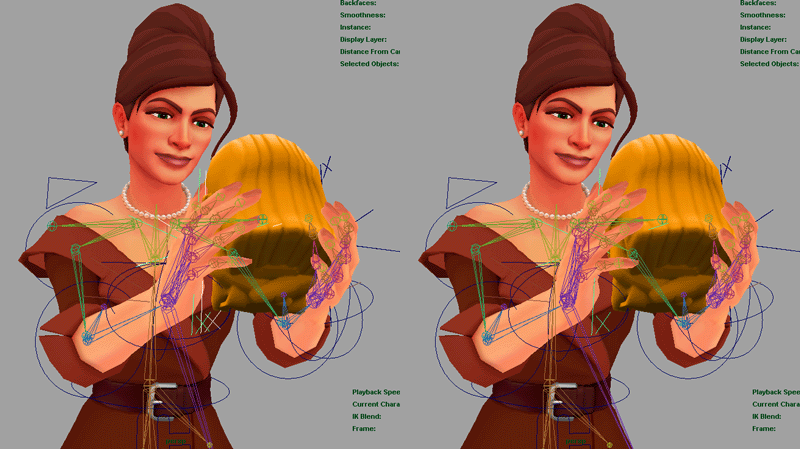
Well, since we’re all unique skeletons and animations, that’s a lot of data-wrangling, and unfortunately I spent 6 hours on one “small” problem yesterday, and still came away empty-handed:
SIX HOURS and still didn’t figure it out.
Something about Ms. B’s arm rig is causing this pop whenever her hand controller is attached to anything. We investigated many different theories, and there are still a bunch of things to try after PAX, and no shortage of interesting clues (like her hand angle changes when you move her shoulder even if the hand controller is constrained to an object, unlike the rest of the characters), but we had to finally give up, and John manually counter-animated the pop and drift in all the statue animations. Modern animation rigs are basically little machines, and the construction of Ms. B’s machine is faulty somehow. It goes on the post-PAX list. It’s not clear we could have fixed it without messing up all her existing animations anyway. Welcome to game development.
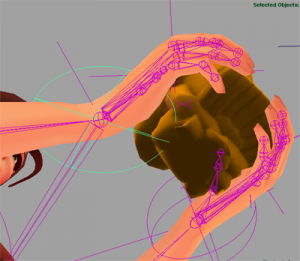
As an example clue, the green shape in this next image should be a circle, not an ellipse. There’s no non-uniform scale on this controller, nor is there in any of its parents. Was there some scale that actually got frozen into this node? Is something else happening? One of the alignment MEL scripts I wrote was injecting shear into nodes it was aligning due to precision issues after multiple alignments, but this ellipsoid stayed after I fixed that. Sigh.
Why aren’t you a sphere?
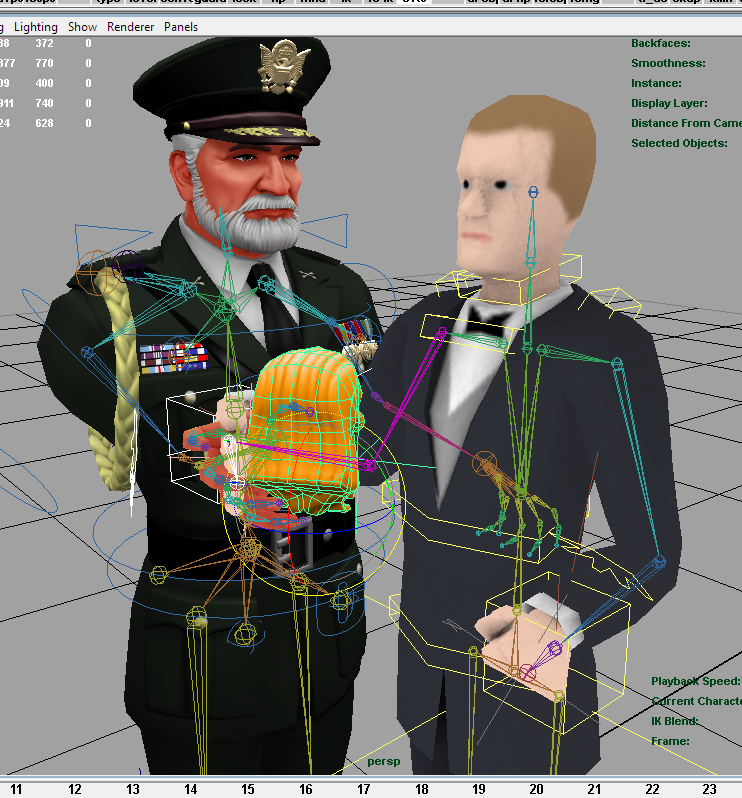
Here’s a cute shot I took while trying to debug the alignment script.
Their hands met at the statue…
Batch Processing
The other big thing I did yesterday was write some batch processing scripts to correct some errors that didn’t need a human to fix them. We work in a few different places, including my laptop, John’s laptop at the office, and John’s desktop at his apartment, and so we use SUBST to make the S drive point to the root of the SpyParty Perforce repository for our content data, this way any absolute paths are always on S: and theoretically everything “just works”. Except when it doesn’t. John nagivates his drive by links/shortcuts a lot of the time, so there’ll be a shortcut to
S:/project/spyparty/source_content/characters
or whatever so he can quickly hop over there when loading a file. Well, one of his shortcuts was in terms of his local disk directory, so it was something like
which obviously doesn’t exist anywhere but on that single machine. Then a file with these links would get copied to start a new animation, or he’d use that link to navigate to another directory in a file that already worked, or whatever. Maya prompts you to find the missing references on file load, but if you don’t save in the right way it won’t save the remapped reference, and eventually the evil links metastasized into about 100 files. Opening, checking out, and fixing 100 files manually takes hours. I came to loathe C:/Users/John during this process, but hopefully it’s banished forever. The animations are batch processed, and he found the evil shortcut and fixed it.
Similarly, some of the animations were started from the walk cycles for each character, and walk cycles have the character’s global move node translating while you’re working on the walk to get the feet to stick. Then, you mute that channel to export the animation in one place. Well, sometimes the character would be offset from the origin when the animation was done, and so the exporter decided that the character needed to be a couple meters in front of where it should be. You can see the results in the second half of the video from yesterday. Yet another script fixed these 45 animations.
What’s that you say? You want to be a game developer and make 3D video games?
The Testing “Plan”
So far, I have Mr. A and Ms. J mostly working in the game. The lighting is all wrong, and there are plenty of bugs, but it’s a start.
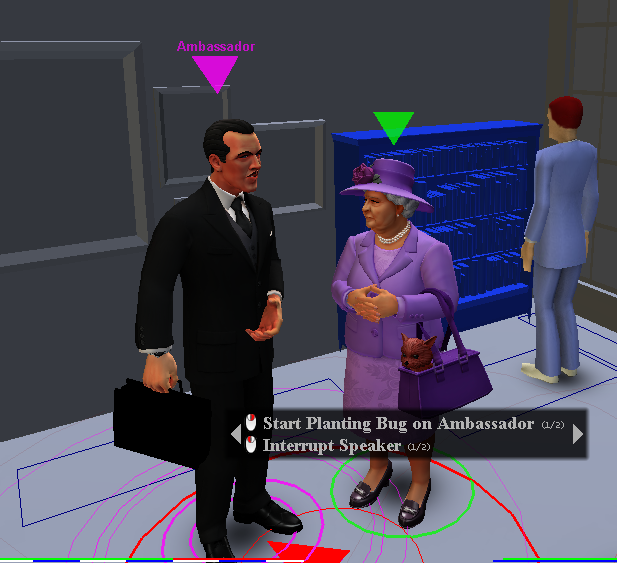
“Yes, J, everyone else at this party is so simplistic…”
I think what I’m going to do is shove all the 10 new characters in the game, start 10 new threads in the Bugs Forum, one for each, and then put a setting in the game to enable them in all the old art levels and crowdsource the testing and tuning to the players in the beta.2 They’ll look pretty out-of-place, but I need to get them tested as quickly as possible, and my beta testers are the best.
To do this I’m going to have to finish up the half-implemented new UI flow, because right now the game on my computer doesn’t really work. That’ll be another source of lots of bugs, but better sooner than finding them at PAX!
I’m going to try to do this early next week, maybe even Monday, to maximize the testing time.
Teaser
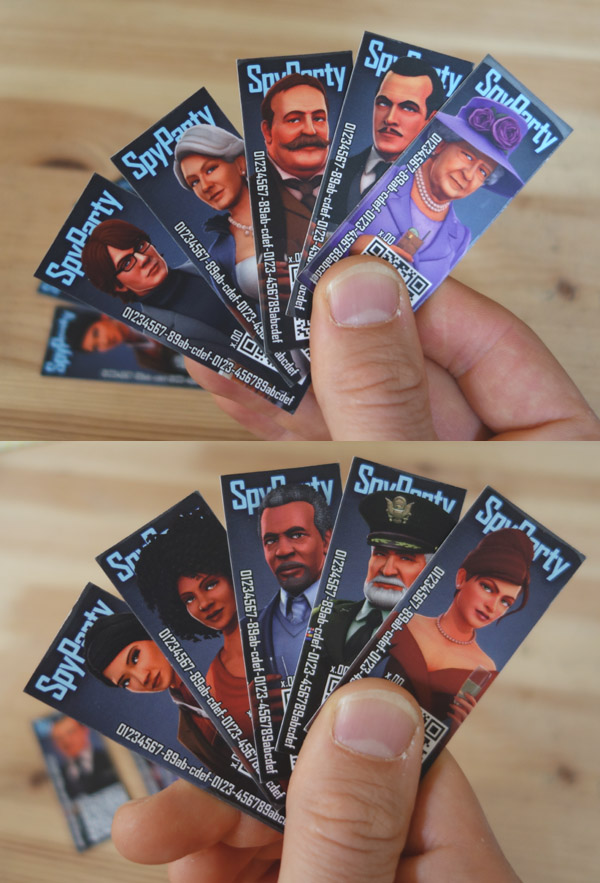
In addition to getting the new art in the game, which is the super ultra mega priority, I’m also messing around with something special for PAX. I’m not sure I’ll do it, but it involves printing stuff, so I’m forced to hit some print deadlines and spend some money before I’m even sure it’ll work, or else it simply won’t happen. More details on this tomorrow. Here’s a teaser pic:
This is the first PAX Countdown post. I am going to try to do a brief post on our progress daily, or thereabouts. I meant to post this in the morning, but then more animation stuff blew up and we had to figure out a workaround. Whee!!!
I leave for PAX West/Prime/Seattle on August 27th. Today, when I writing this, it’s the 14th. Well, actually, it’s 2:41am on the 15th, but let’s call it the 14th, shall we? That means we have 13 days to go, and a lot of work to do between now and then. I’m going to try to blog (quickly) each day with a status update, and maybe a picture or video of the sometimes inane stuff that one has to do when making video games.
The Goal(s)
Our goal for PAX this year is to have the new High-rise level in the game and working with all new fancy artwork, and have all 10 of the new art characters working in the map. Plus, we want to have the entire UI players see when they sit down at the booth to be new and fancy. Basically, I’ve shown the game at PAX for fouryearsnow (!), and I’m very lucky that people still line up to play it, but every year it’s been Beginner vs Beginner Ballroom with the old art. The game has changed a ton over that time, but mostly for experienced players, and so this year I want people who stop by the booth to see a completely new game, and a taste of what the game will look like when it’s finished, some time before the sun expands to engulf the Earth.
Another Goal?
I have an optional secondary goal which I’m still evaluating and haven’t made a decision on yet, which is whether to sell copies of SpyParty at the booth. I have some cool ideas about how to do this, but it’s a lot of extra work, and I’m nervous about taking on that burden when we’re already swamped. I’ll post more about this in the next few days as I make the decision. Print deadlines mean I need to make the call by Monday.
This Is My Life For The Next Two Weeks
Right now, we’ve got all the new animations working on the new characters in Maya, but hooking them up in the game means finding all the tiny little things that can go wrong. There are hundreds of animations already, and small things that need adjusting on a lot of them, and this is before tuning and playtesting them.
ZeroTKA did the video in Maya, but with plain old hardware rendering like the game uses, so they’re not quite in the game yet, but you can see how cool they’re going to look once they are. The plan is to get them in the game in the next few weeks and have them all playable at PAX at the end of August in Seattle. They’ll hit the public beta build shortly after that. Or maybe before, I dunno, depends on how hot we are coming in. More on that soon.
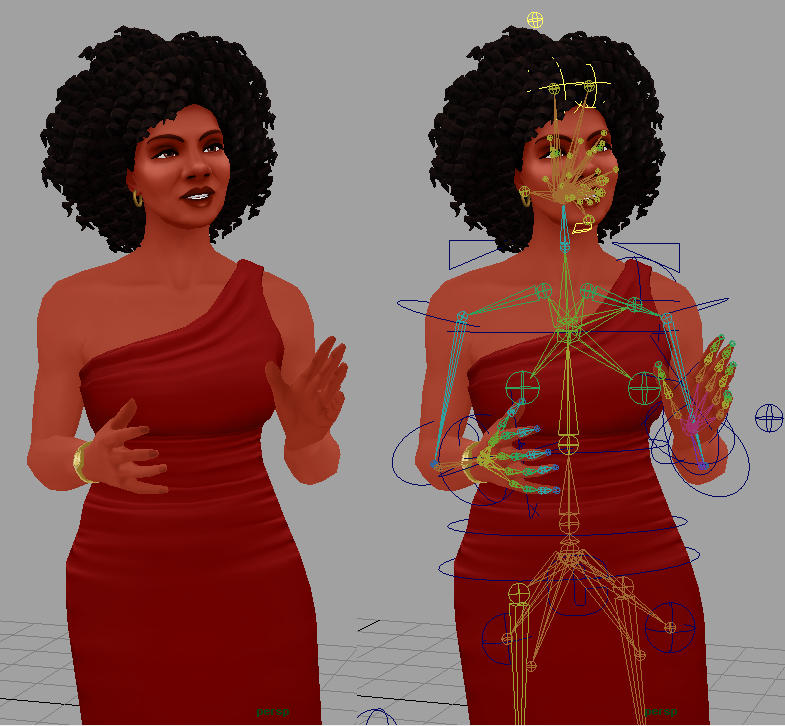
Here’s a pic showing what the animation rig on the characters looks like.
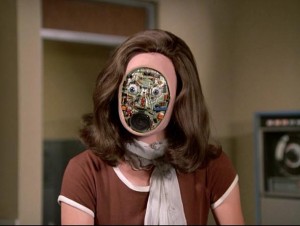
Face rigs always remind me of those old Bionic Woman episodes with the fembots…
Hey all! checker and I decided to try something a little bit different. We had ourselves a conversation about the latest SpyParty features, we recorded it, and then I turned it into a video. We basically stole this idea from the Introversion folks, who do a similar thing for Prison Architect release notes.
We mainly talked about some of the highlights of the past few patches. Below you will find time stamps for all of the topics we discussed as well as the video! If all goes well we want to continue doing these more frequently, except not quite as long. If you have any suggestions let us know in the comments!
This post is a bit of an experiment. I want to show you some mockups of the new game setup user interface (UI), but I also want to try to figure out a bit of the UI I’m stuck on, and I figure explaining it clearly here in this post might either help me figure it out, or somebody like you will have a good idea and post it in the comments. It’s a win either way!
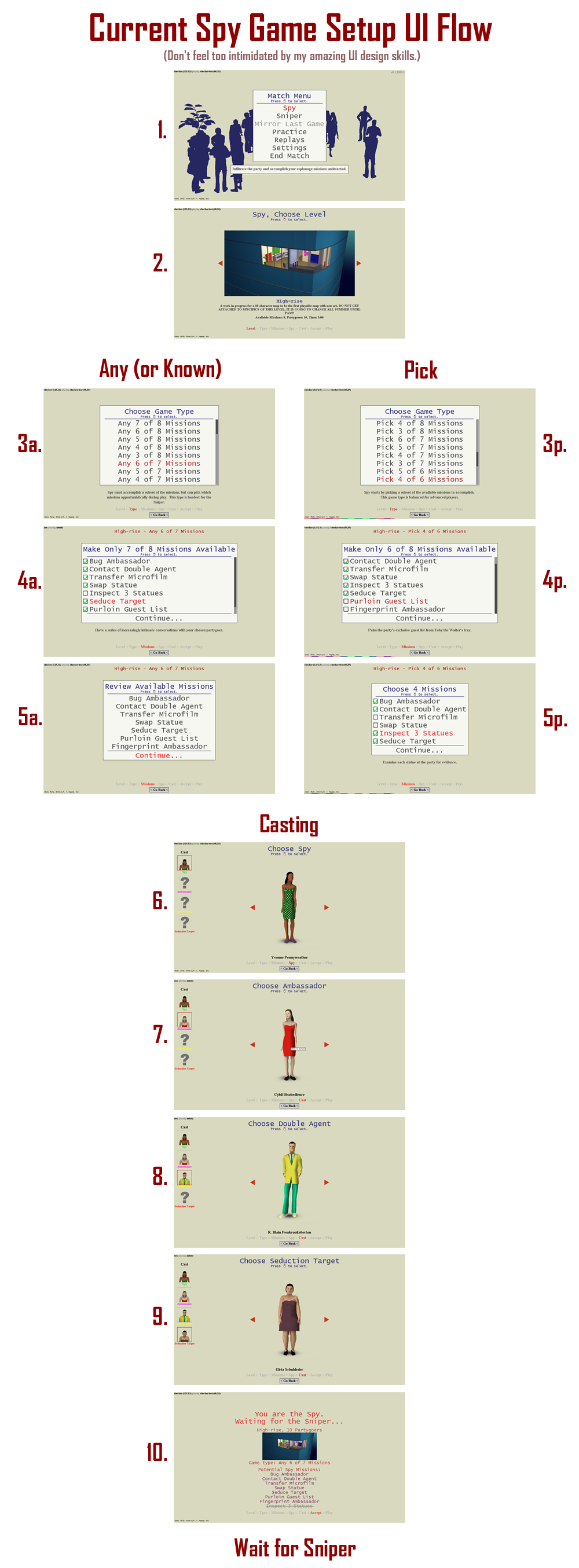
First, let’s look at the old (which is to say, current) game setup UI flow. When you’re in a match with another player, and want to start a new game, you have to choose a bunch of stuff, at least if you’re going to be the Spy. This giant image shows all the steps.1 If you’d like, you can open this image in another window if you want to see it at the same time as you read this text by clicking this handy link.
The current/old game setup ui flow.
Going through these steps, the first two are easy: you pick to be the Spy and you pick the level. At this point, the game knows which game types and missions are available, because those vary by map.
Now the flow splits. If you are picking Any or Known game types, then you have to pick the “selected” missions for your game.2 For something like Any 3 of 5, this means you’re picking the 5 missions that will be selected for the Spy and known by the Sniper. If you choose Known 4, then you pick the 4 missions. It turns out, Known N is just a special case of Any M of N, where M equals N. This is important later. Once you pick the missions for Any or Known, you review them (which is an artifact of the current flow…remember, I’m not defending this, it’s just what we’ve got right now), and then you’re on to Casting.
Rewind back up, and if you choose Pick M of N, then you pick the N selected missions, but you also have to pick the M “picked” missions. These are the missions that you are going to try to accomplish, but the Sniper doesn’t know which M of the N you’re picking. I always think of picking as kind of like when Babe Ruth called his shot, except you’re doing it in secret as the Spy. Maybe you’re writing it on an envelope to be opened after the game. I’m not going to get into it much here, but Pick is much less popular than Any as a game type, which will be important below.
Finally, Casting is the same for all game types, and in the current implementation you scroll through the characters for each cast member you want to select. First you pick the Spy, then the Ambassador, then the Double Agent, etc. After you’ve cast the game, you wait for the Sniper to accept and then you’re playing.
Designing a New Flow
As you can see by the size of that image, that’s a lot of screens, and a lot of clicking. For the longest time there wasn’t even a back button, so if you messed up you had to do it all over again! Each screen is also confusing, because it doesn’t have any surrounding context, and sometimes very similar menus will pop up but with slightly different text, and you’ll often hear newbies who stream their first games of SpyParty say things like, “Didn’t I just pick this?” When casting the party, the title changes, and the portraits on the side fill in, but the screen looks almost identical, so people don’t think clicking even does anything if they don’t notice the subtle title changes.
I want to be clear: the images below are early mockups, and have a lot of problems, and will change, so please don’t consider them final. But, they’re enough to show the direction I’m going, and to elucidate some of the issues I’ll need to overcome, and since I’m all about open development, here we go…
As I said above, you have to pick the level first before the game can know what options are available to you. This presents a small problem, because we really want to get the characters in front of players as early as possible, since they’re the stars of the show. As you can see in the top image of the current flow, I even added a “menu party” with silhouetted characters to try to get some personality into the ugly old art version of the menus. Even that helps a lot, so we’d like to get the characters on screen immediately.
As we were talking about the new UI, John and I came up with the idea that the casting screen should obviously be a single screen, but instead of a grid like a fighting game, we should have the characters in a kind of “group shot” pose, like we’ve shown when we’ve released each batch of new art characters.
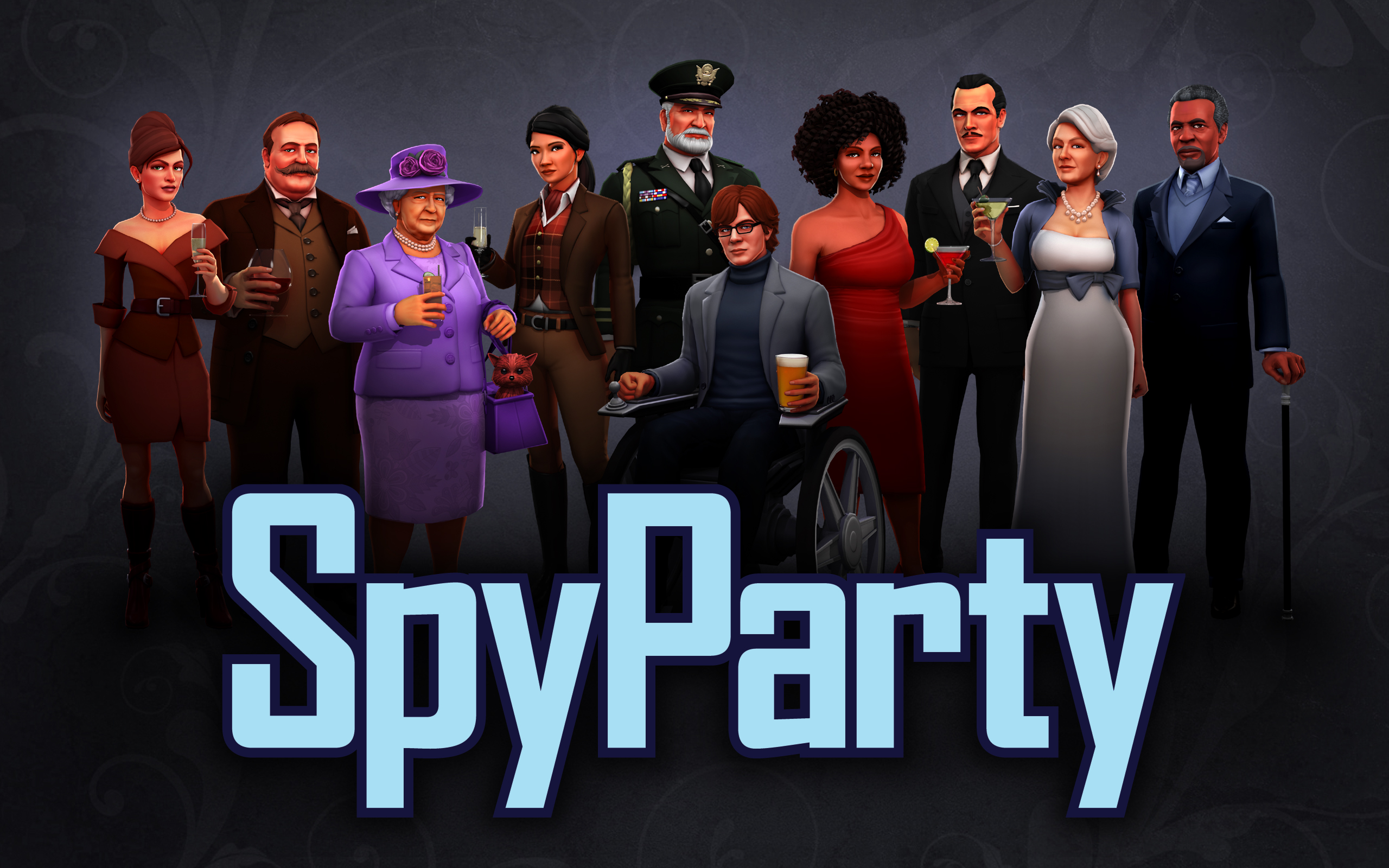
Like this, but with twice the characters!
And, of course, they should be animated, and even respond to you when you select them. More on that below.
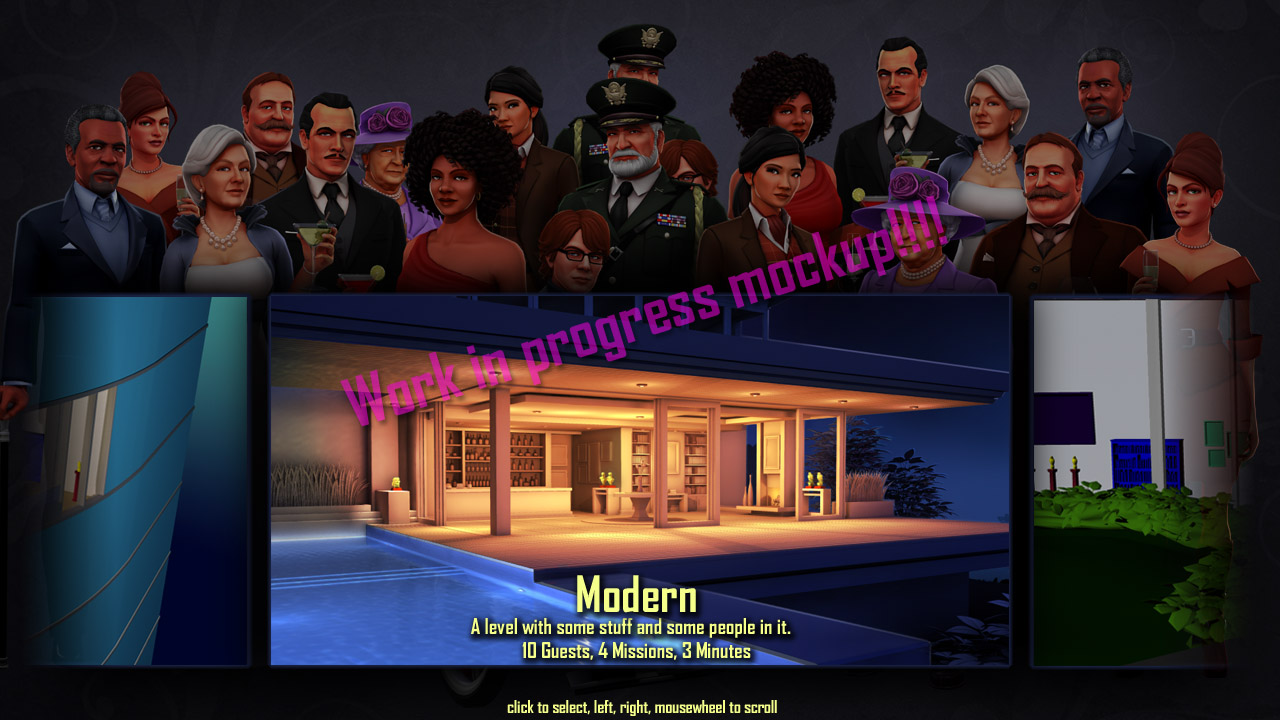
But as I said, the level selection has to come first, and although the new art levels are pretty, they’re not as cool as the characters, so how to solve this? The first thing I mocked up was to have them in the group shot, but in the background, desaturated, with the level select in front. I need to eventually support 20 characters, so I took the 10 and duplicated and flipped them just to get the density right.
First, level select.
I think this is a bit busy and the layout is bad, but I think a variation of this will work, probably with the level image a bit smaller so there’s more space for the characters. I’ll have to see if it’s too cluttered and distracting once they’re rendered in-game and animating. If I have time, what I’d like to do is have the map start out as an image, but if you stay on the image for a few seconds, it blends to a 3D render of the map that moves around on an attract loop. I want to be very careful about stuff like this that can impact menu performance, because I want the elite players to not have to sit through any additional time. You really don’t care about animations on your 10000th time through a menu.
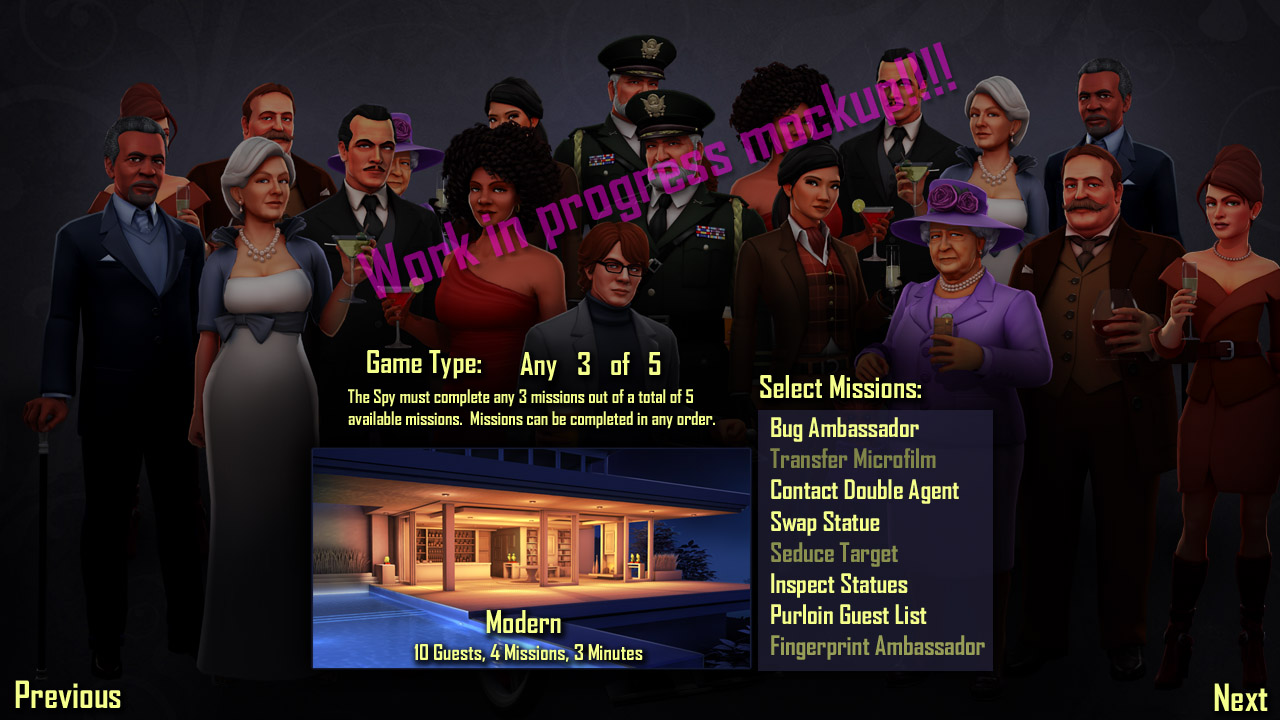
After you’ve picked your level, I’m going to get all the rest of game setup (except casting) on a single screen. This is where my problem comes in, but I’ll talk about that below. For now, you can check out this image, and imagine that the “Any”, the “3”, and the “5” are dropdowns or something, and you choose the selected missions by clicking on them. I’m going to have the game type the community considers balanced set up by default on this screen (Any 2 of 3 on Balcony, Any 5 of 7 on Veranda, etc.), so it should be much faster than the current flow if you want the current meta.
Second, game type and missions.
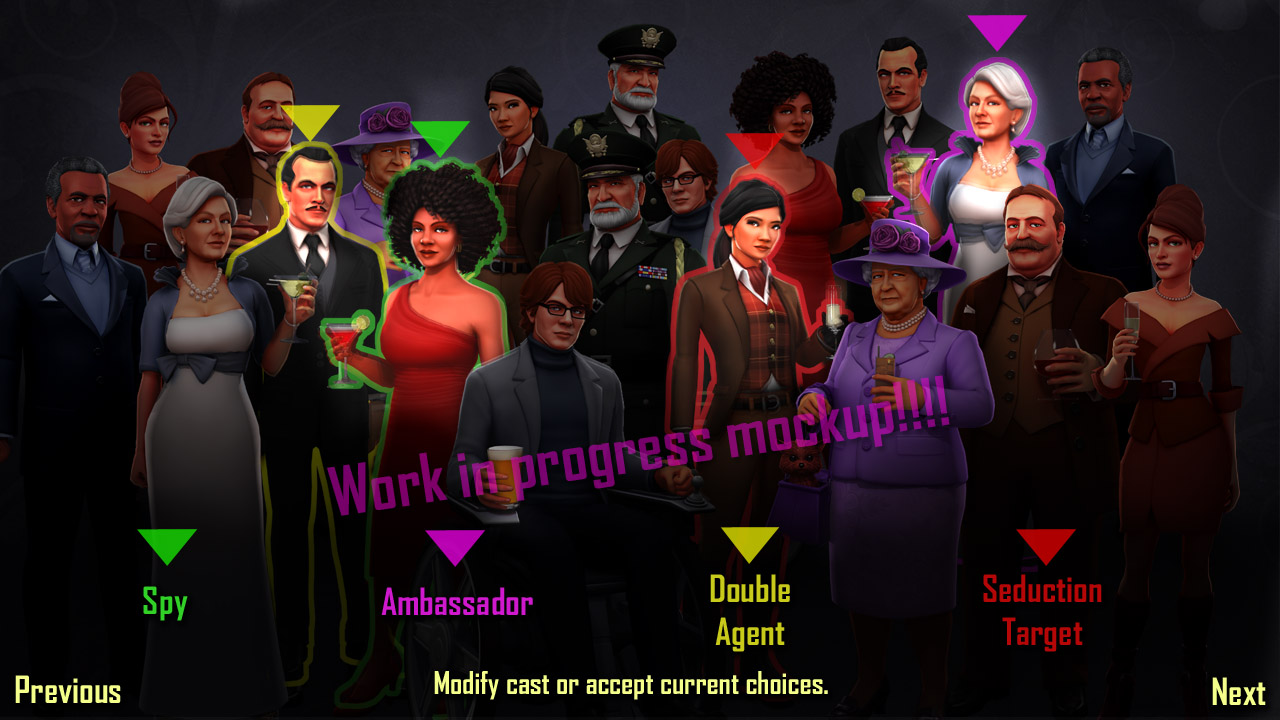
Finally, and this should be insanely cool, you get to the casting screen. All of the cast is randomly selected when you get to this screen, so if you want all random choices, you just hit next and you’re done. If you want to manually cast the party, then you just click around on the characters. Much like the Spore creatures did when you stuck an arm on them, the characters will react to you selecting and deselecting them. I haven’t figured out exactly how to handle this yet in a way that works well for both mouse and controller, but elite players usually only use the randomizer to avoid bias, so whatever I do won’t slow them down any.
Finally, picking the cast.
I will spend some real time making sure casting the characters is nice and smooth, not only because newbies love to manually cast the party, but also because the big game design changes I’m going to make this fall to give specific characters specific characteristics (called the “dossiers design”, more on that later) will mean manual casting starts to get important at elite levels as well. Also, I’d like to leave open the possibility of a pick/ban draft phase during casting, where the Spy and Sniper can pick or ban certain characters from the party before the game starts, and I’d like all of that to fit on this single screen. I think it’s doable.
The Pick Problem
Let me reiterate: there are a ton of issues with these mockups. They’re overly busy and cluttered and there’s no unifying motif so it looks hodgepodge, but they’re a start, and they’re way better than the current flow.
However, I’m not worried about those issues, they’re hopefully easily solvable via iteration. I am worried about the issue of how to support Pick, though.
If you notice above, the middle mockup is just showing Any, but it could easily be the same for Known. Pick, however, requires another phase of mission selection, where you narrow your selected missions to you picked missions. I’m not sure how best to support this with the single screen. It seems like I have three options:
Have another listbox that comes up to the side.
Have a tri-state selector for missions.
Kill Pick.
All these options suck.
Option 1 is like the old flow, but just smashed into the screen. Imagine duplicating the Select Missions box on that screen, so when you’re in Pick mode, you get a filtered list of the selected missions in the new box, and you pick a subset of them. This means designing this page so it optionally has another major UI element, which probably means both views will be worse than they need to be. I could have different layouts depending on whether you choose Pick or Any/Known, but now the UI is moving around in response to another UI element, and that’s just terrible. If I have the pick box up all the time but it’s greyed out, then that’s wasting a ton of space, especially since Pick is almost never played right now.
Option 2 is also terrible. By “tri-state” I mean a checkbox or equivalent which has three states, for unselected, selected, and picked. Tri-state UI is pretty non-intuitive and ugly to start with, and there’s an additional issue here where the order they cycle is important. Imagine I use a tri-state checkbox with an X through it, an open box, and the check mark as the three states. Well, if you’re in Any or Known, you just want to cycle between checked and unchecked or it would look weird, so that means unchecked is the visual state for unselected. But then if you’re in Pick mode, it’d be weird to have the open checkbox mean unselected, but the X mean selected but not picked. At least, I think it would be? Maybe I could draw the X so it looks okay, meaning it looks like selected but turned off or something. There are very few standards here, which is always a problem for new UI controls—you really don’t want to innovate in user interface controls—and makes it so the player has to think about it. Also, if I’m using checkboxes, that means I shouldn’t use the highlight for selection that’s in the mockup, and should use checkboxes all the time for consistency, but that’s ugly and unnecessary most of the time due to the current unpopularity of Pick. I could use highlight, lowlight, and strikethrough as the three states, but then that’s even more confusing because strikethrough would mean selected but not picked?
If this was a AAA game, a producer would pick Option 3 before I’d even finished explaining the issue, let alone written a blog post about it. If Pick is unpopular and almost never played, why am I spending all this energy trying to solve this outlier case? Well, I like Pick, and it’s my video game. I think Pick provides some interesting decisions for the Spy at the start of the game. I agree with fans of Any that the ability for the Spy to take advantage of opportunities is great, and it is less meta-gameable than Pick, and I agree that Any should be the main competition mode, but the meta-gaming around Pick is interesting and it’s a nice way to handicap less than an entire mission (Pick M of N is slightly harder for the Spy than Any M of N, but not as hard as Any M+1 of N). So, I’d rather not remove Pick if I can help it.
So, what’s the right solution to this dilemma? Do my job for me in the comments.
Update: I’m prototyping this in the game right now, here’s an early version of the “pantheon” of characters for casting:
I had to modify the code of my lightbox plugin to work with this big image and do the (somewhat) right thing with scrolling! [↩]
Which are called “available” missions in the old flow, but that’s going to change. [↩]
SpyParty is a spy game about human behavior, performance, perception, and deception. While most espionage games have you spend your time shooting stuff, blowing stuff up, and driving fast, SpyParty has you hide in plain sight, deceive your opponent, and detect subtle behavioral tells to achieve your objectives. Unlike the suave and confident spies you might find in films or books, most spies in spy games are more like super powered commandos--more Rambo than James Bond. By contrast, SpyParty is a new and quite different game about the more interesting and deeper aspects of being a spy.
Can I play it?
Yes, at least in beta form! Head over to the Early-Access Beta Page for details!
SpyParty is currently in active development, but there is no ship date yet, and there won't be for a while, because I want to make it perfect! All of the art you see on this website is placeholder art for the gameplay prototype! This blog documents the game's progress. Feel free to leave questions and comments, and I'll try to reply.
Also please tell your friends about the game, and follow the game on Twitter or Facebook. Indie games like SpyParty depend on fans to spread the word. Thanks!